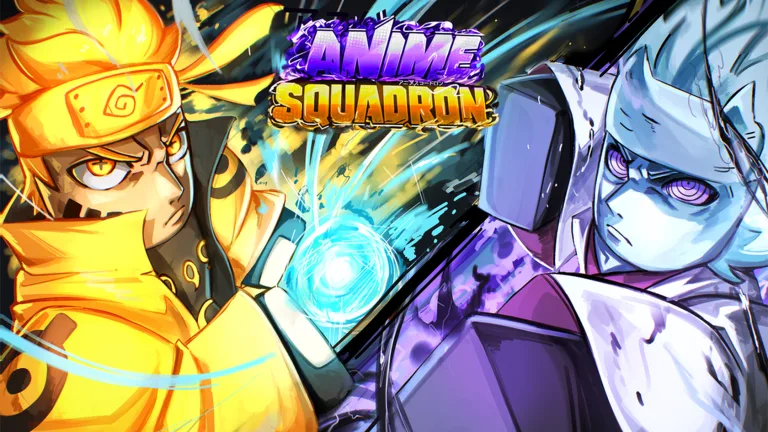
Anime Squadron Maintenance Guide: How to Check Game Status and Updates
Learn how to handle Anime Squadron maintenance periods, check for the latest updates from Komplex Studio, and stay informed on server status.
Published: Anime Squadron Wiki Editorial Team
Table of Contents
Understanding Anime Squadron Maintenance
When you attempt to join Anime Squadron and encounter a message indicating the game is under maintenance, it usually means the development team at Komplex Studio is pushing a new update or performing critical server optimizations. In a fast-paced lane battler like this, where players are constantly summoning units, evolving heroes, and defending against waves of enemies, developers must take the servers offline to ensure the game’s stability.
Maintenance periods are typically temporary. During this time, the "Play" button on the official Roblox game page may be disabled, or you might be placed into a restricted server. Understanding that this is a normal part of the development cycle helps you avoid frustration when you cannot immediately access your favorite anime heroes.
Why Does Maintenance Happen?
Maintenance for Anime Squadron usually occurs for three primary reasons: implementing feature updates, fixing bugs, or balancing gameplay mechanics.
New Content Deployment: Adding new units, maps, or game modes (like the recent 5.0 update).
Bug Resolution: Patching issues that prevent units from spawning or cause lag during high-intensity boss waves.
Server Stability: Optimizing the game backend to handle high player counts, which often peak in the thousands for this title.
Whenever you see a notice about maintenance, it is often a sign that the developers are actively working to improve the overall player experience, ensuring that your strategic gameplay remains competitive and fair.
How to Check for Game Updates and Status
If you find yourself locked out, the most reliable way to monitor the status is through the official Roblox platform. Avoid relying solely on secondary sources like YouTube videos that claim to have "secret codes" during maintenance, as these are frequently outdated or misleading.
Check the "Description" section; developers often list the latest update version (e.g., UPD 5.0) and upcoming changes there.
Monitor the "Game Updated" timestamp to see when the developers last pushed changes to the live servers.
Keep an eye on the official Discord server or social links provided by Komplex Studio if available, as these provide the fastest alerts for when maintenance will end.
Staying Prepared for Post-Maintenance Gameplay
Once the servers come back online, there is often a rush of players trying to join simultaneously. To get the most out of your post-maintenance session, consider these strategies:
Tip
Check for New Codes: Developers sometimes release new codes immediately following a major update to reward players for their patience.
Review Patch Notes: Look for changes in unit stats or ability mechanics. If a major update just dropped, your previous "meta" lineup might need adjustments to remain effective against the latest bosses.
Optimize Your Setup: If you experience lag after an update, check your graphics settings within Roblox to ensure your frame rate remains stable during intense battles.
Frequently Asked Questions
How long does maintenance usually last?
Maintenance duration varies depending on the size of the update. Minor hotfixes might take only a few minutes, while major content drops like "UPD 5.0" may require an hour or more of downtime.
Can I play in a private server during maintenance?
Generally, no. When the game is under maintenance, all instances of the game—including private servers—are typically taken offline to prevent data corruption or inconsistencies.
Where is the best place to report bugs found after an update?
The best place to report issues is through the official group page or Discord server associated with Komplex Studio, as they often monitor feedback to prioritize their next round of fixes.